WFH Essentials
-
Home Office Chair with Ergonomic Comfort for Daily Support
Regular price $827Regular price$1,899Sale price $827Sale -
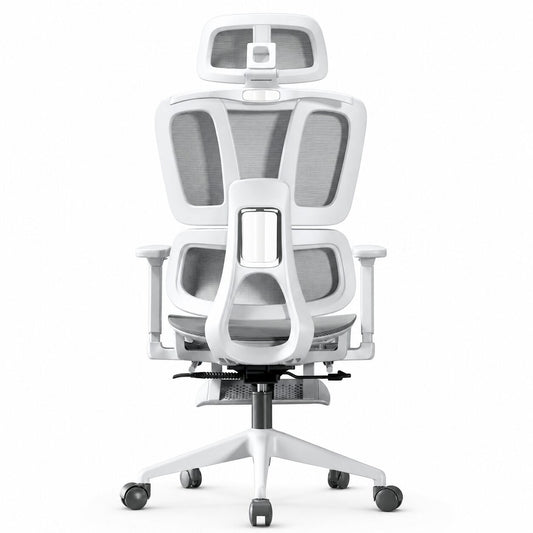
Ergonomic Mesh Office Chair with Adjustable Support
Regular price $750Regular price$1,800Sale price $750Sale -
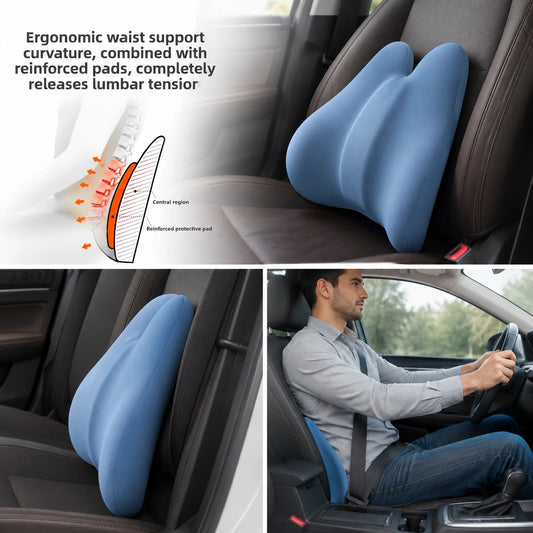
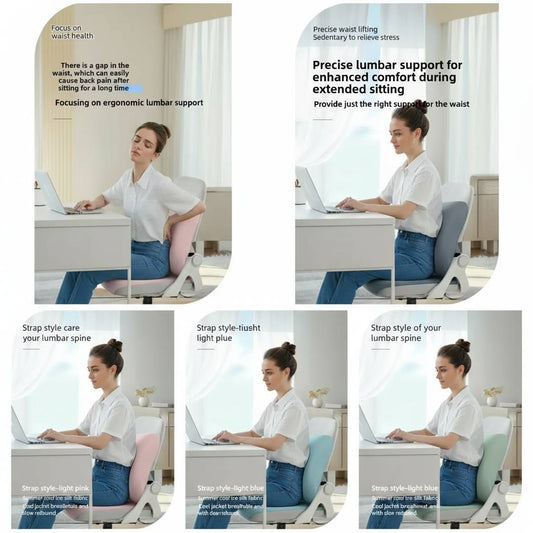
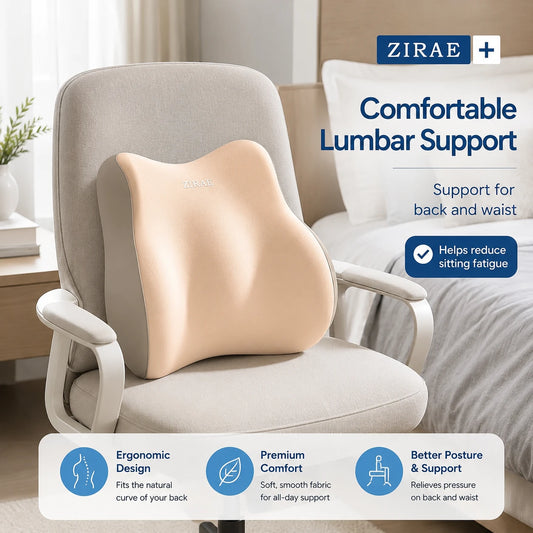
Waist Pillow for Comfortable Lumbar Support Daily Relief
Regular price $58Regular price$139Sale price $58Sale -
Posture Correction Memory Foam Lumbar Cushion for Back Pain
Regular price $110Regular priceSale price $110 -
Adjustable Lumbar Support Cushion for Office Chair and Car
Regular price $80Regular price$179Sale price $80Sale -
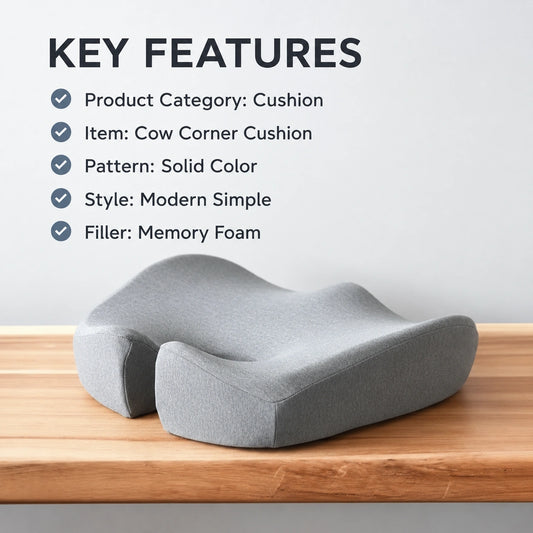
Memory Foam Seat Cushion for Hemorrhoid and Tailbone Relief
Regular price $21Regular priceSale price $21 -
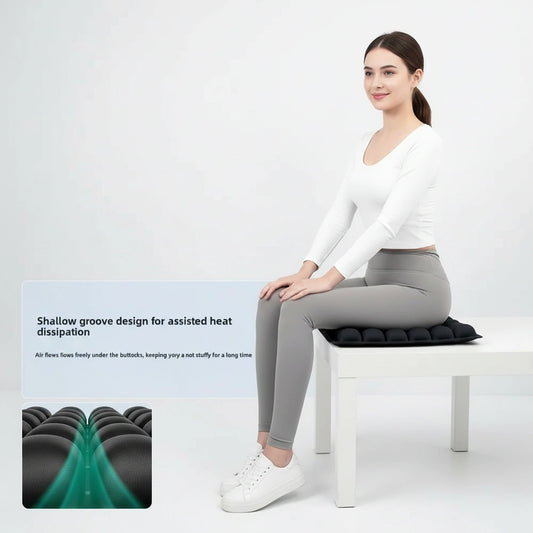
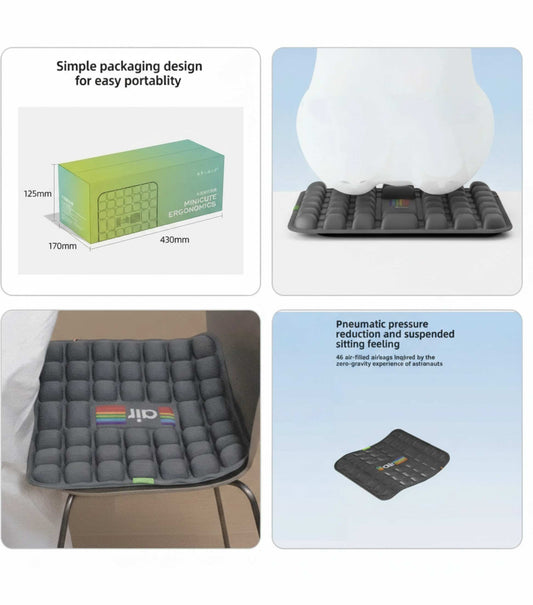
Air Pressure Relief Seat Cushion for Office Chair and Car
Regular price $29Regular price$69Sale price $29Sale -
Ergonomic Computer Chair for Home Office and Back Support
Regular price $560Regular price$1,122Sale price $560Sale -
Foam Lumbar Support Cushion for Office Chair and Back Relief
Regular price $31Regular price$79Sale price $31Sale -
Lumbar Support Cushion for Lower Back Pain Relief and Posture
Regular price $123Regular price$259Sale price $123Sale -
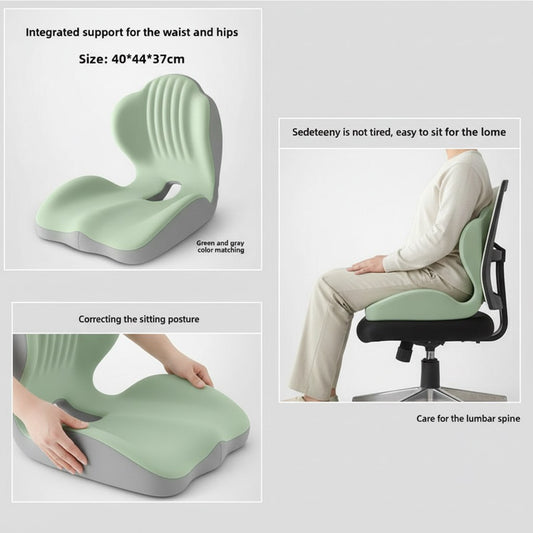
Ergonomic Office Seat Cushion for Posture and Hip Support
Regular price $78Regular price$159Sale price $78Sale -
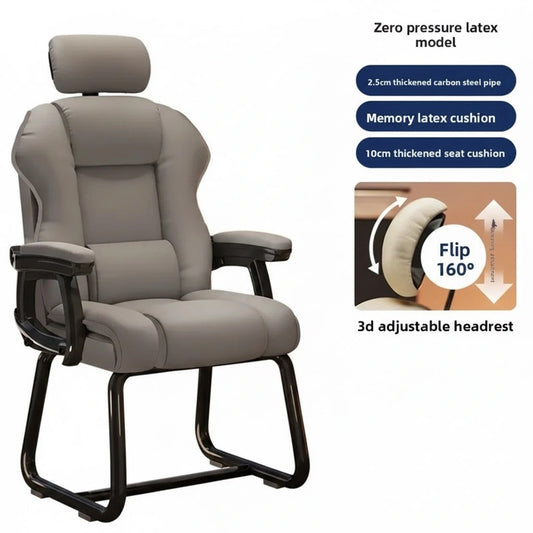
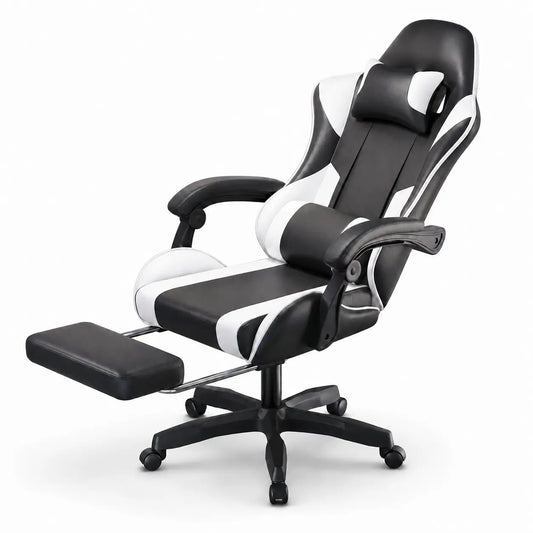
Ergonomic Office Gaming Chair with Recline & Neck Support
Regular price $785Regular price$1,598Sale price $785Sale -
Memory Foam Seat Cushion for Office Chair Back Pain Relief
Regular price $27Regular price$79Sale price $27Sale -
Memory Foam Lumbar Cushion for Office Chair and Car Seat
Regular price $21Regular price$59Sale price $21Sale -
Memory Foam Seat Cushion for All-Day Comfort and Support
Regular price $25Regular price$54Sale price $25Sale -
Multifunctional Cushion Back Support, Comfort & Everyday Use
Regular price $36Regular price$79Sale price $36Sale -
Memory Foam Seat Cushion for Tailbone and Back Pain Relief
Regular price $40Regular price$83Sale price $40Sale -
Ergonomic Mesh Office Chair with Lumbar Support for Desk Use
Regular price $210Regular price$423Sale price $210Sale -
Ergonomic Memory Foam Office Cushion for Back Pain Relief
Regular price $59Regular price$123Sale price $59Sale -
Ergonomic Posture Correction Chair Cushion for Office Use
Regular price $114Regular price$231Sale price $114Sale -
Sanco T1 Monitor Arm Desk Clamp Mount for 17-35 Inch Screens
Regular price $54Regular price$150Sale price $54Sale -
Memory Foam Back Cushion with Lumbar Support for Office Chair
Regular price $50Regular price$104Sale price $50Sale -
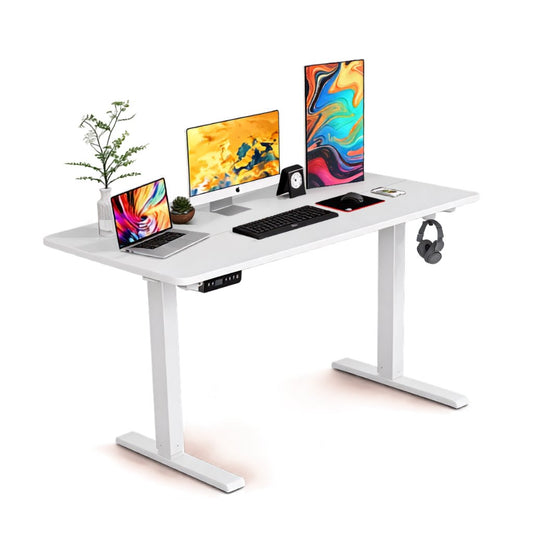
Electric Height Adjustable Standing Desk for Home Office
Regular price $980Regular price$2,000Sale price $980Sale -
Ergonomic Memory Foam Seat Cushion with Lumbar Back Support
Regular price $31Regular price$65Sale price $31Sale -
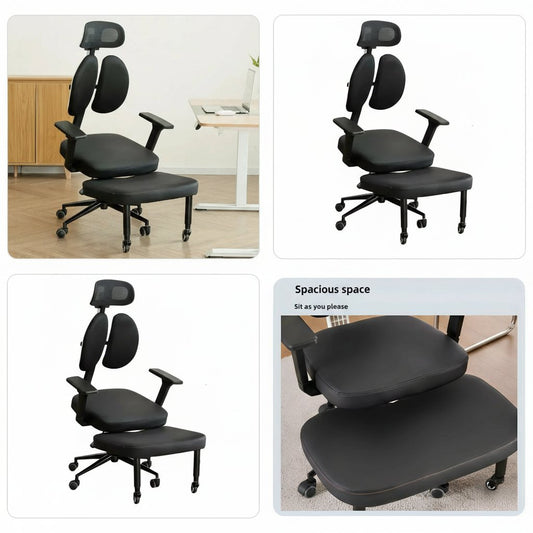
Ergonomic Adjustable Kneeling Chair for Home Posture Support
Regular price $1,044Regular price$2,150Sale price $1,044Sale -
Ergonomic PU Leather Swivel Gaming Chair for Home, Office
Regular price $669Regular price$1,400Sale price $669Sale -
Lumbar Support Office Chair Cushion & Latex Seat Cushion
Regular price $47Regular price$97Sale price $47Sale -
Ergonomic Adjustable Office Desk Chair with Lumbar Support
Regular price $696Regular price$1,500Sale price $696Sale -
Memory Foam Lumbar Pillow Office Chair & Car Back Support
Regular price $20Regular price$45Sale price $20Sale -
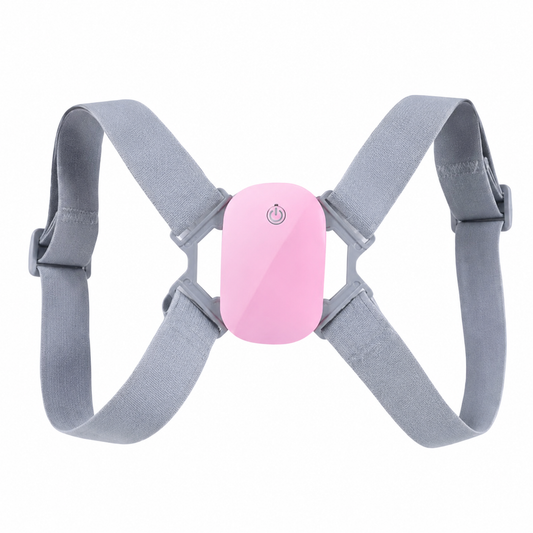
Smart Posture Corrector with LED Display for Back Support
Regular price $12Regular price$26Sale price $12Sale
WFH Essential
WFH-essentials help create a more comfortable, organized, and productive home workspace. From ergonomic chairs and supportive cushions to desk accessories and posture-friendly tools, the right setup can simplify daily routines. Explore Vendula Care’s practical solutions for remote work, online meetings, focused tasks, and extended desk sessions.
Essential WFH Items for a Comfortable Home Office
The right WFH essentials can help create a home office that feels organized, comfortable, and practical throughout the workday. A productive setup should support your main tasks, fit the available space, and make frequently used equipment easy to reach.
Vendula Care offers ergonomic and comfort-focused products for remote-work routines. Product features vary, so review dimensions, compatibility, materials, care instructions, and intended use before ordering.
Start With a Stable Work Surface
A desk or table should provide enough room for your computer, input devices, documents, and other daily equipment without forcing you into an uncomfortable position.
Check Desk Height and Available Space
Measure the workspace before purchasing furniture or accessories. Allow sufficient room for your legs, chair movement, cables, storage, and nearby walkways.
Choose a Suitable Office Chair
A home-office chair should fit your body, desk, and typical sitting duration. Adjustable features can make it easier to personalize the chair.
|
Chair Feature |
What to Consider |
|
Adjustable seat height |
Compatibility with desk and foot position |
|
Lumbar area |
Comfortable contact with the lower back |
|
Seat depth |
Support without pressure behind the knees |
|
Armrests |
Shoulder comfort and desk clearance |
|
Recline |
Ability to vary sitting position |
|
Stable base |
Suitability for the flooring |
|
Weight capacity |
Manufacturer’s stated user limit |
Add Supportive Cushions When Appropriate
Seat cushions, lumbar-support pillows, and footrests may help adapt an existing chair when replacing it is not practical.
Check Dimensions and Compatibility
A cushion changes the effective seat height and depth. Confirm that it does not make the chair too small or interfere with the backrest and armrests.
Position Screens at a Practical Height
Laptop stands and monitor risers can raise screens and free space beneath devices. When raising a laptop, an external keyboard and mouse may create a more practical typing arrangement.
|
Screen Accessory |
Primary Use |
|
Laptop stand |
Raises and angles a laptop |
|
Monitor riser |
Elevates a desktop monitor |
|
Monitor arm |
Provides adjustable screen positioning |
|
Document holder |
Keeps reference materials near screen level |
|
Tablet stand |
Supports a secondary device |
Use a Separate Keyboard and Mouse
An external keyboard and mouse allow more flexible placement than a laptop’s built-in controls. Select wired or wireless accessories according to device compatibility, available ports, and personal preference.
Improve Video Calls and Focus
Headphones, microphones, webcams, and speakers can support online meetings and focused work.
Essential Call Equipment
Consider:
-
Headphones with a microphone
-
A compatible webcam
-
Stable internet equipment
-
Adjustable lighting
-
A quiet or visually simple background
-
Charging cables and backup power where needed
Add Appropriate Desk Lighting
A desk lamp can provide focused illumination for reading, writing, and video calls. Adjustable brightness and positioning may be useful in spaces with changing natural light.
Reduce Screen Glare
Place lamps and monitors so bright windows or bulbs do not reflect directly on the screen.
Organize Cables and Supplies
Cable clips, trays, storage boxes, and desk organizers can keep frequently used items accessible while reducing clutter.
|
Organization Item |
Useful For |
|
Cable clips |
Holding charging cables in place |
|
Under-desk tray |
Routing power and data cables |
|
Desktop organizer |
Storing pens and small supplies |
|
Document tray |
Sorting papers and mail |
|
Label system |
Identifying cords and storage |
|
Power strip holder |
Keeping power connections organized |
How to Build an Effective WFH Setup
An effective WFH setup should provide a dedicated place for focused work, online meetings, and daily tasks. It does not need to be large or expensive, but it should fit your body, equipment, available space, and typical work routine.
Start with essential home-office furniture and technology, then add accessories that solve specific comfort, organization, or productivity needs.
Choose the Right Workspace
Select a location with enough room for your equipment and minimal household distractions. If possible, use an area with natural light, accessible power outlets, and a reliable internet connection.
Measure Before Buying WFH Essentials
Record the available width, depth, and height before selecting a desk, chair, or storage products. Include clearance for doors, drawers, walkways, and chair movement.
Select a Stable Desk or Work Surface
Your desk should provide enough space for your primary screen, keyboard, mouse, documents, and frequently used accessories.
|
Work Style |
Desk Features to Consider |
|
Laptop-only work |
Compact surface and laptop stand |
|
Multiple monitors |
Wide desktop and cable management |
|
Paper-based tasks |
Additional writing and document space |
|
Small apartment |
Folding, wall-mounted, or corner design |
|
Sitting and standing |
Height-adjustable work surface |
|
Shared workspace |
Easy storage and movable accessories |
Set Up a Suitable Office Chair
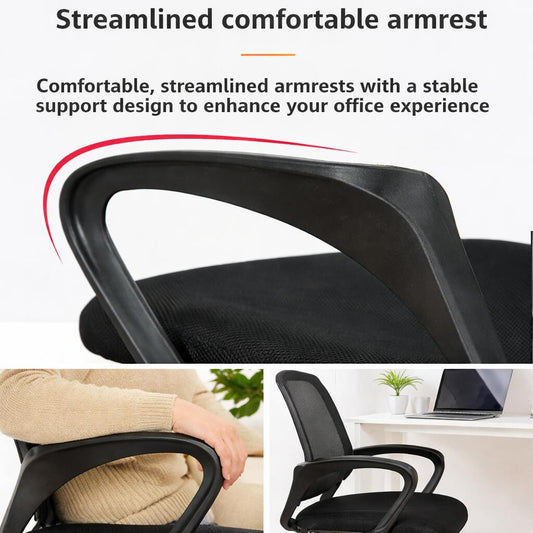
Choose a chair that fits your dimensions and works with the desk height. Adjustable seat height, lumbar area, armrests, and recline may help personalize the position.
Adjust the Chair First
Set the chair so your feet rest securely on the floor or a footrest. Then arrange the desk, keyboard, and screen around that seated position.
Position the Monitor or Laptop
Place the primary screen directly in front of your usual working position. Adjust its height and distance so the text is easy to read without repeatedly leaning forward.
Use Separate Input Devices When Raising a Laptop
A laptop stand may improve screen positioning, but raising the device also raises its keyboard. Pair it with an external keyboard and mouse when practical.
Arrange the Keyboard and Mouse
Keep the keyboard and mouse close enough that you do not need to reach forward repeatedly. Both devices should sit on a stable surface at a comfortable working height.
Improve Home-Office Lighting
Combine general room lighting with an adjustable desk lamp when additional task lighting is needed.
|
Lighting Source |
Primary Purpose |
|
Natural light |
General daytime illumination |
|
Ceiling light |
Overall room visibility |
|
Desk lamp |
Focused task lighting |
|
Video-call light |
More consistent facial lighting |
|
Adjustable lamp |
Directional light for changing tasks |
Control Glare
Avoid placing a bright window or lamp directly behind the screen or within your main line of sight. Adjust curtains, blinds, screen angles, or lamp positions when necessary.
Ergonomic Office Chairs for Working From Home
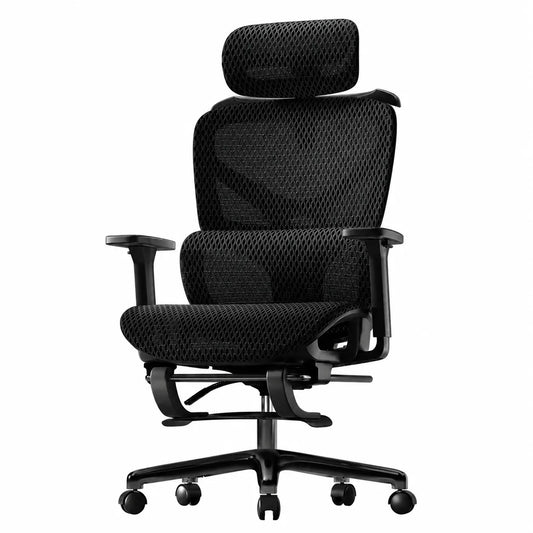
Ergonomic office chairs for working from home include adjustable features that help users personalize their seated position. A suitable WFH chair should fit your body dimensions, desk height, available room, flooring, and typical work duration.
Vendula Care offers ergonomic seating options for home-office routines. Features vary by model, so compare dimensions, adjustment ranges, materials, weight capacity, assembly instructions, and warranty terms before purchasing.
Why an Ergonomic Chair Matters for WFH
Dining chairs, couches, and beds may work temporarily, but they often lack the adjustability needed for repeated computer work. An ergonomic desk chair can provide a more adaptable foundation for a dedicated home-office setup.
Adjustability Is More Important Than Labels
A chair marketed as “ergonomic” is not automatically suitable for every user. Review the actual adjustment ranges and measurements instead of relying on the product name alone.
Essential Ergonomic Chair Features
|
Chair Feature |
Function |
What to Check |
|
Seat-height adjustment |
Aligns the chair with the desk |
Minimum and maximum height |
|
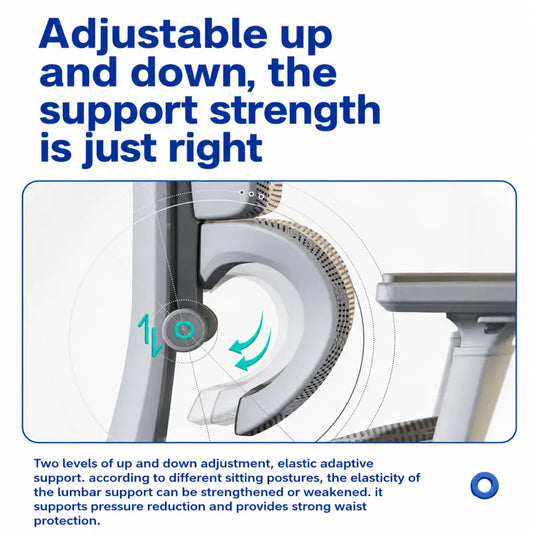
Adjustable lumbar area |
Supports the lower-back region |
Height, depth, and firmness |
|
Seat-depth control |
Changes thigh support |
Adjustment range |
|
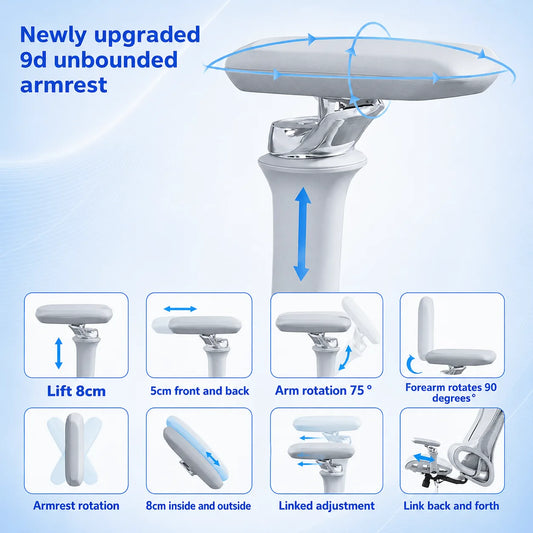
Adjustable armrests |
Supports the arms |
Height, width, angle, and desk clearance |
|
Reclining backrest |
Allows position changes |
Recline angle and lock settings |
|
Tilt tension |
Controls recline resistance |
Adjustment method |
|
Headrest |
Supports the head during recline |
Height and angle range |
|
Swivel base |
Allows easier movement |
Stability and smooth rotation |
|
Casters |
Supports mobility |
Compatibility with the floor |
How Should a WFH Office Chair Fit?
Your feet should rest securely on the floor or a footrest. The seat should support your thighs without pressing behind the knees, and the backrest should contact your back comfortably.
Check Seat Width and Depth
A chair may offer sufficient height adjustment but still feel uncomfortable if the seat is too narrow, deep, or shallow. Compare product measurements with your body dimensions before ordering.
Match the Chair to Your Desk
The chair should allow you to work without raising your shoulders or reaching excessively for the keyboard and mouse.
|
Desk Consideration |
Chair Detail to Review |
|
Desk height |
Seat-height adjustment range |
|
Under-desk clearance |
Armrest height and chair width |
|
Keyboard tray |
Thigh and armrest clearance |
|
Small workspace |
Overall chair dimensions |
|
Standing desk |
Adjustment range and mobility |
|
Carpeted floor |
Suitable casters or chair mat |
|
Hard floor |
Floor-safe casters |
Lumbar Support and Backrest Design
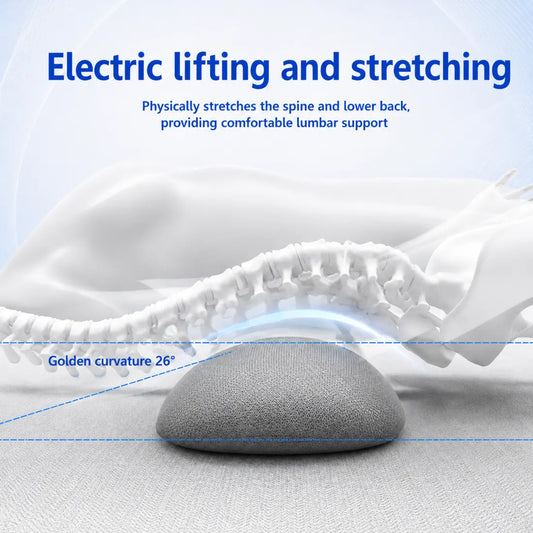
Lumbar support should align with the inward curve of the lower back without causing excessive pressure. Mesh and upholstered backrests offer different levels of airflow, firmness, and flexibility.
More Pressure Does Not Mean Better Support
Start with a moderate setting and adjust gradually. Stop using any setting or accessory that causes pain, numbness, or new discomfort.
Mesh vs. Cushioned WFH Chairs
|
Feature |
Mesh Chair |
Cushioned Chair |
|
Airflow |
Generally higher |
Depends on upholstery |
|
Surface feel |
Flexible or firm |
Soft to structured |
|
Cleaning |
Usually wipe or vacuum |
Varies by fabric |
|
Appearance |
Modern and streamlined |
Wide range of styles |
|
Cushion compression |
Minimal in backrest mesh |
Padding may compress over time |
Setting Up an Ergonomic Home-Office Chair
-
Adjust the seat so your feet are supported.
-
Set the seat depth to leave comfortable space behind the knees.
-
Position the lumbar area against the lower back.
-
Adjust armrests so the shoulders remain relaxed.
-
Set recline tension for controlled movement.
-
Align the keyboard, mouse, and monitor with your seated position.
-
Confirm that the chair moves safely on the flooring.
Ergonomic Accessories for an Existing Chair
If replacing your chair is not practical, compatible accessories may help adapt the setup:
-
Lumbar-support pillow
-
Seat cushion
-
Footrest
-
Armrest pads
-
Chair mat
-
External keyboard and mouse
-
Laptop stand or monitor riser
Check Accessory Compatibility
Adding a seat cushion changes the effective seat height and depth. Confirm that you can still use the backrest, armrests, and desk comfortably.
Desks and Work Surfaces for Remote Work
A suitable desk or work surface provides a stable foundation for your computer, monitor, keyboard, documents, and everyday WFH essentials. The right choice should fit your available space, equipment, working style, and storage needs without restricting comfortable chair movement.
Vendula Care offers practical home-office products for remote-work routines. Review dimensions, materials, weight capacity, assembly requirements, and compatibility before purchasing.
Popular Types of WFH Desks
Remote-work desks are available in multiple styles for dedicated offices, bedrooms, living areas, and compact apartments.
|
Desk Type |
Best Suited For |
Features to Consider |
|
Standard computer desk |
Dedicated home offices |
Desktop size and storage |
|
Standing desk |
Alternating work positions |
Height range and lifting capacity |
|
Corner desk |
Using room corners efficiently |
Left- or right-facing layout |
|
Compact writing desk |
Laptop work and small spaces |
Narrow depth and simple design |
|
Folding desk |
Temporary work areas |
Folded dimensions and locking system |
|
Wall-mounted desk |
Limited floor space |
Wall compatibility and installation |
|
Mobile laptop desk |
Flexible work locations |
Caster locks and height adjustment |
|
Desk converter |
Existing tables |
Surface size, stability, and weight limit |
Choose the Right Desktop Size
The desktop should accommodate your essential equipment without becoming overcrowded.
Plan for Your Equipment
Consider space for:
-
Laptop or desktop computer
-
One or more monitors
-
Keyboard and mouse
-
Docking station or USB hub
-
Headphones and charging devices
-
Documents and notebooks
-
Desk lamp
-
Frequently used office supplies
Measure Your Home-Office Space
Measure the room before ordering a desk. Account for baseboards, doors, drawers, power outlets, chair movement, and nearby furniture.
|
Measurement |
Why It Matters |
|
Desk width |
Determines usable horizontal space |
|
Desk depth |
Affects equipment placement and viewing distance |
|
Desk height |
Influences chair and keyboard position |
|
Under-desk width |
Provides leg and chair clearance |
|
Under-desk height |
Determines armrest and thigh clearance |
|
Total footprint |
Confirms the desk fits the room |
|
Weight capacity |
Supports monitors and other equipment |
Sitting Desks vs. Standing Desks
A fixed-height desk provides a consistent workstation, while an adjustable standing desk allows users to change the work-surface height.
Standing Does Not Replace Movement
Remaining in one position for long periods—whether sitting or standing—may become uncomfortable. Change positions and take regular movement breaks according to workplace guidance.
Materials and Construction
Desks may use solid wood, engineered wood, metal, glass, laminate, or mixed materials.
|
Material |
Common Advantage |
Care Consideration |
|
Solid wood |
Durable and traditional appearance |
Protect from moisture and heat |
|
Engineered wood |
Wide range of finishes |
Avoid excessive moisture |
|
Metal frame |
Strong structural support |
Inspect for loose hardware |
|
Laminate surface |
Easy to wipe clean |
Protect edges from damage |
|
Glass |
Modern appearance |
Requires frequent cleaning |
|
Bamboo |
Lightweight natural appearance |
Follow moisture-care guidance |
Stability and Weight Capacity
A desk should remain stable during typing and normal equipment use. Review the stated load capacity and distribute weight according to the instructions.
Lumbar Support and Seat Cushions
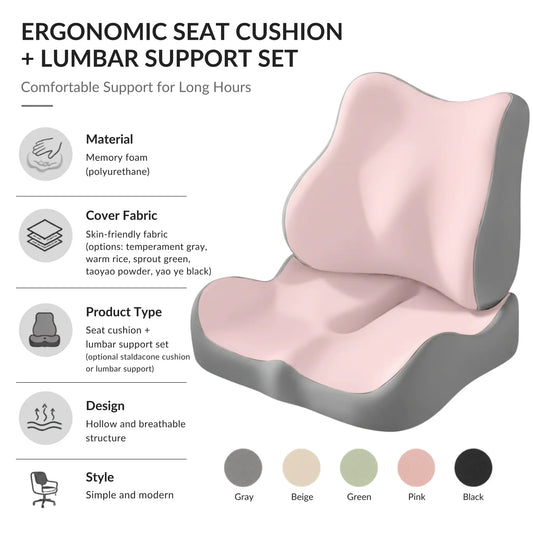
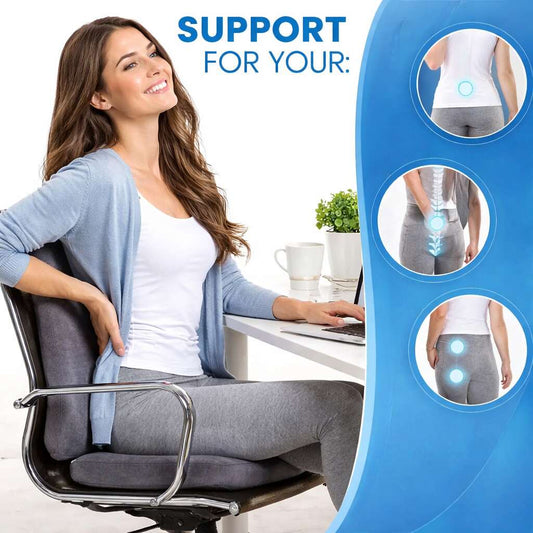
Lumbar support pillows and seat cushions can help adapt an existing office chair for work, study, driving, or everyday sitting. These accessories are designed to change how the back and seat contact the chair, but the right option depends on individual dimensions, chair design, firmness preference, and intended use.
Vendula Care offers ergonomic cushions for home, office, and travel routines. Review product measurements, materials, firmness, compatibility, and care instructions before purchasing.
What Is a Lumbar Support Pillow?
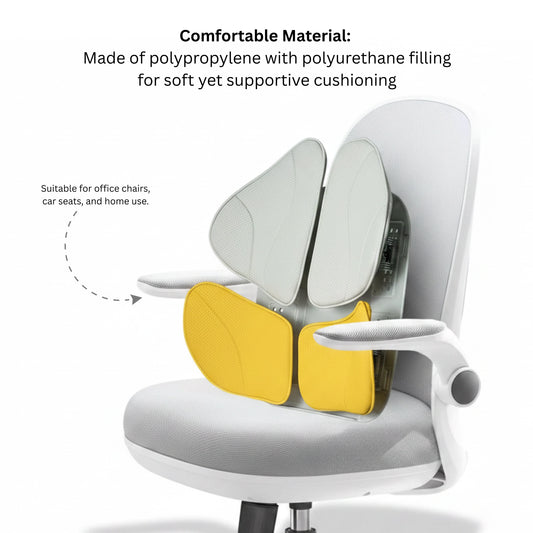
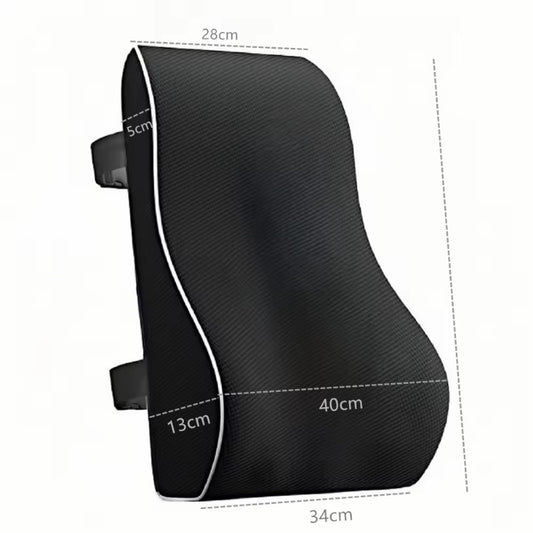
A lumbar support pillow is positioned between the lower back and chair. It is designed to fill some of the space around the inward curve of the lumbar region.
Common Lumbar Support Features
Lumbar cushions may include:
-
Contoured shapes
-
Memory foam or resilient foam
-
Adjustable attachment straps
-
Breathable mesh covers
-
Removable, washable covers
-
Multiple height or firmness options
What Is a Seat Cushion?
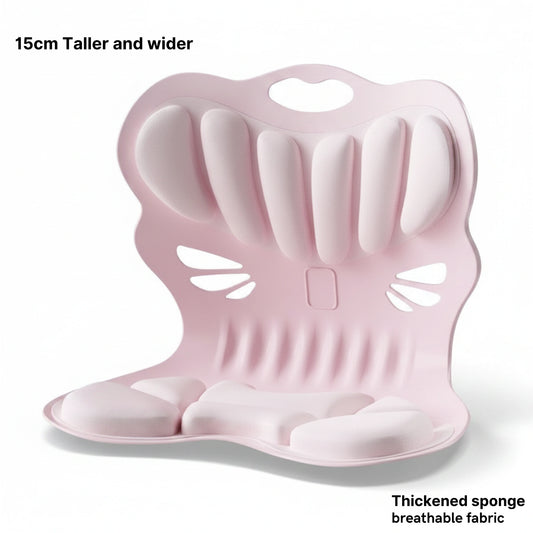
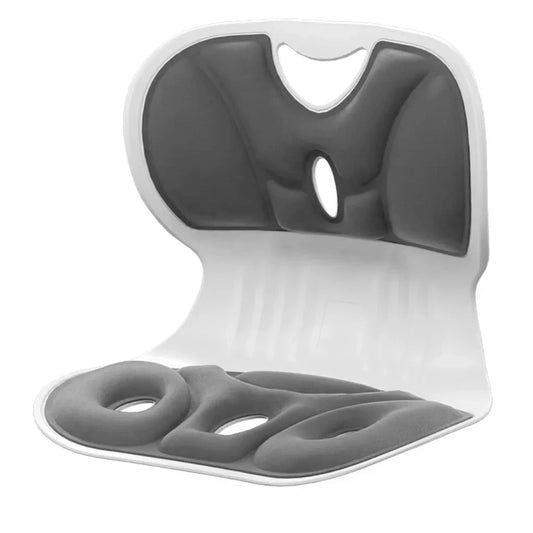
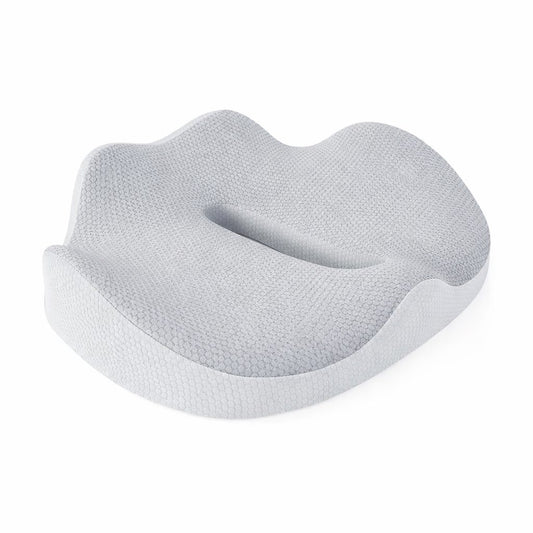
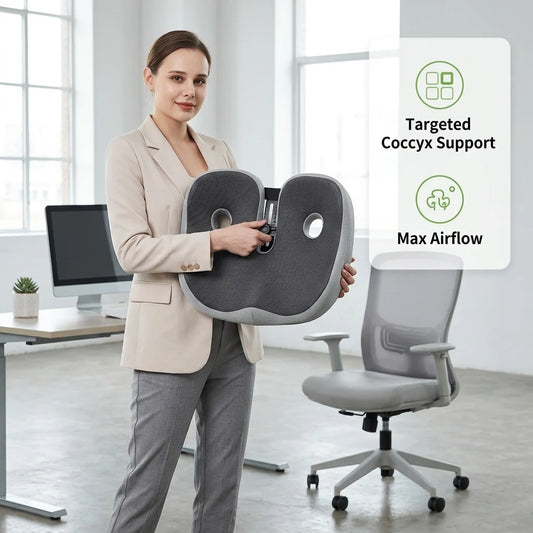
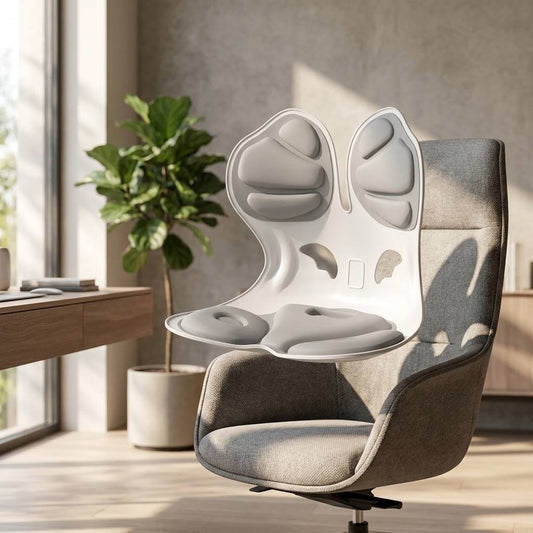
A seat cushion is placed on top of a chair seat to add padding or change the sitting surface. Designs may be flat, contoured, wedge-shaped, or include a rear cutout.
A Cushion Changes Your Sitting Height
Adding a seat cushion raises the body and reduces the available space between the user and the desk, backrest, and armrests. Recheck the entire workstation after placing a cushion.
Lumbar Support vs. Seat Cushion
|
Feature |
Lumbar Support Pillow |
Seat Cushion |
|
Placement |
Between the lower back and chair |
On top of the chair seat |
|
Primary function |
Changes lower-back contact |
Changes the sitting surface |
|
Fit concern |
May push the body forward |
Raises effective seat height |
|
Attachment |
Often uses a strap |
Usually rests on the seat |
|
Common materials |
Memory foam, mesh, or fiber |
Memory foam, gel, foam, or fiber |
|
Care |
Cover may be removable |
Choosing a Lumbar Support Cushion
The pillow should fit the chair and contact the lower-back area without forcing the body too far forward.
Check the Chair’s Seat Depth
Thick lumbar supports reduce usable seat depth. If the chair is already shallow, a large pillow may leave insufficient thigh support.
Choosing a Seat Cushion
Compare the cushion’s width and depth with the chair seat. It should lie flat without hanging over the edges, shifting excessively, or interfering with armrests.
|
Seat Cushion Feature |
What to Consider |
|
Thickness |
Changes seat height and desk alignment |
|
Firmness |
Affects pressure and stability |
|
Contoured shape |
Influences sitting position |
|
Nonslip base |
Helps limit movement |
|
Carry handle |
Useful for travel or multiple workspaces |
|
Removable cover |
Simplifies routine cleaning |
|
Stated weight range |
May affect material performance |
Memory Foam, Gel, and Fiber Cushions
Different cushion materials provide different sensations and maintenance requirements.
|
Material |
Common Characteristic |
Consideration |
|
Memory foam |
Contours under body heat and pressure |
Firmness varies with temperature |
|
Gel-infused foam |
Combines foam with gel components |
Cooling performance varies |
|
Resilient foam |
Provides structured cushioning |
Density affects firmness |
|
Fiber fill |
Offers a softer surface |
May flatten with use |
|
Air cushion |
Allows adjustable inflation |
Requires pressure maintenance |
Laptop Stands and Monitor Risers
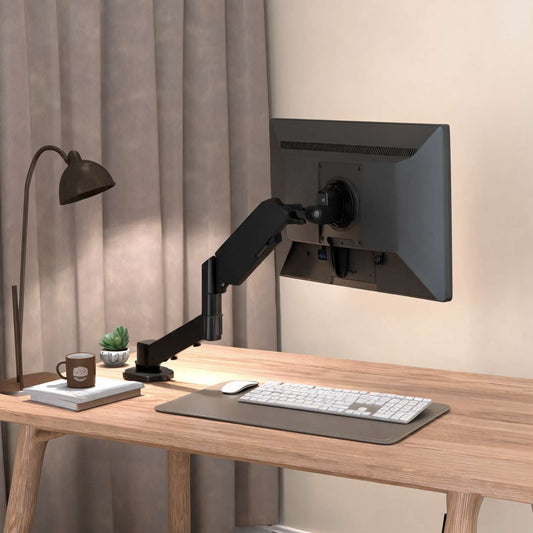
Laptop stands and monitor risers elevate screens above the desk to create a more adjustable WFH setup. They can also free usable space beneath a device and help organize keyboards, notebooks, docking stations, or other desk accessories.
Vendula Care offers practical workspace accessories for home offices, study areas, and remote-work setups. Review the dimensions, height range, materials, weight capacity, ventilation, and device compatibility before purchasing.
Laptop Stand vs. Monitor Riser
Although both products elevate screens, they are designed for different equipment and working styles.
|
Feature |
Laptop Stand |
Monitor Riser |
|
Primary device |
Laptop |
Desktop monitor |
|
Design |
Angled or adjustable platform |
Raised shelf or fixed platform |
|
Portability |
Often foldable and lightweight |
Usually designed to remain on a desk |
|
Ventilation |
May include an open-frame design |
Depends on construction |
|
Storage |
Limited space beneath device |
Often provides under-platform storage |
|
Input devices |
External keyboard and mouse recommended when elevated |
Existing keyboard and mouse remain separate |
Benefits of a Laptop Stand
A laptop stand can raise and angle the computer for viewing, video calls, or use as a second screen.
Useful Features to Consider
Look for:
-
Adjustable height and angle
-
Nonslip pads
-
Stable hinges or locking points
-
Open ventilation areas
-
Foldable construction
-
Cable access
-
Compatible laptop dimensions
-
Adequate weight capacity
Benefits of a Monitor Riser
A monitor riser elevates a screen while creating additional storage space underneath. Some models include drawers, shelves, device slots, or cable-management features.
Check the Monitor Base
Confirm that the platform is wide and deep enough for the entire monitor stand. Do not allow the base or feet to extend beyond the riser’s edges.
Choosing the Correct Height
The appropriate screen height depends on the user, chair, desk, screen size, and work tasks. Position the display so it is easy to view without repeatedly leaning forward or holding the head in an uncomfortable position.
|
Setup Factor |
What to Review |
|
Chair height |
Determines seated viewing position |
|
Desk height |
Affects screen and keyboard placement |
|
Screen size |
Influences viewing distance |
|
Riser height |
Determines final screen position |
|
Adjustment range |
Allows personalization |
|
Multiple screens |
Requires alignment between displays |
Use an External Keyboard and Mouse
Raising a laptop also elevates its built-in keyboard and trackpad. For longer work sessions, pair the stand with an external keyboard and mouse positioned on the desk.
Desk Lighting for a Home Office
Desk lighting can make reading, writing, computer work, and video calls more comfortable in a home office. The right lamp should illuminate your main work area without creating distracting screen reflections, harsh contrast, or unnecessary clutter.
Vendula Care offers practical WFH essentials for different workspaces and routines. Review each light’s dimensions, brightness controls, color settings, power source, and intended use before purchasing.
Why Home-Office Lighting Matters
General ceiling lighting may not provide enough focused illumination for detailed tasks. A desk lamp adds directional light exactly where it is needed.
Combine Different Light Sources
A balanced workspace may use natural daylight, ambient room lighting, and a task lamp instead of relying on one overly bright light source.
Popular Types of Desk Lighting
|
Lighting Type |
Best Suited For |
Features to Consider |
|
Adjustable desk lamp |
Reading, writing, and computer work |
Flexible arm and directional head |
|
Clamp lamp |
Small desks and limited surfaces |
Clamp width and desk-edge compatibility |
|
Monitor light bar |
Computer-focused workspaces |
Screen size and glare control |
|
Ring light |
Video meetings and content creation |
Brightness, placement, and color settings |
|
Floor task lamp |
Desks with limited surface space |
Height, base size, and reach |
|
Portable lamp |
Flexible or shared workspaces |
Battery life and charging method |
|
Architect lamp |
Large desks and detailed tasks |
Articulated arm and mounting stability |
Choosing Brightness and Color Temperature
Many LED desk lamps offer adjustable brightness and color-temperature settings for different tasks and times of day.
|
Light Appearance |
Common Use |
|
Warm white |
Relaxed evening tasks |
|
Neutral white |
General home-office work |
|
Cool white |
Detailed tasks requiring a crisp appearance |
|
Adjustable color |
Flexible use throughout the day |
Brighter Is Not Always Better
Excessive brightness can create glare and strong contrast. Choose a comfortable setting based on room lighting, task type, and personal preference.
Positioning a Desk Lamp
Place the lamp so it illuminates documents and the keyboard without shining directly into your eyes or reflecting strongly on the screen.
Consider Your Dominant Hand
Right-handed users may prefer the lamp on the left side, while left-handed users may prefer it on the right to reduce shadows during handwriting.
Reducing Screen Glare
To manage glare:
-
Avoid placing an uncovered bulb within your direct line of sight
-
Angle the lamp away from the monitor
-
Position screens perpendicular to bright windows when possible
-
Use blinds or curtains to control changing daylight
-
Adjust screen brightness to suit the room
-
Choose a lamp with a shaded or diffused light source
Desk Lamps for Video Calls
A video-call light should illuminate the face evenly without creating harsh shadows or reflections in glasses.
Place the Light Near the Camera
Position the light slightly above or beside the webcam rather than directly behind you. Test the setup before important meetings.
Footrests and Standing Mats
Footrests and standing mats are practical WFH accessories designed for different workstation positions. A desk footrest supports the feet while sitting, while an anti-fatigue standing mat creates a cushioned surface for use at a standing desk.
Vendula Care offers comfort-focused workspace products for remote-work routines. Review each product’s dimensions, materials, adjustability, surface grip, and care instructions before purchasing.
What Is a Desk Footrest?
A desk footrest provides a raised surface beneath the desk. It can be useful when a properly adjusted chair leaves the user’s feet without secure contact with the floor.
Common Footrest Features
Footrests may include:
-
Adjustable height
-
Tilting or rocking platforms
-
Textured surfaces
-
Nonslip bases
-
Cushioned or firm construction
-
Removable, washable covers
-
Compact or portable designs
What Is a Standing Desk Mat?
A standing mat is a cushioned floor surface designed for use while working at a standing desk. It creates separation between the feet and hard surfaces such as tile, concrete, laminate, or wood.
Anti-Fatigue Mat Features
Standing mats may include beveled edges, textured surfaces, high-density foam, nonslip backing, or raised areas that offer different standing positions.
Footrest vs. Standing Mat
|
Feature |
Desk Footrest |
Standing Mat |
|
Primary position |
Sitting |
Standing |
|
Placement |
Beneath the desk |
In front of a standing desk |
|
Main purpose |
Provides a surface for the feet |
Adds cushioning over hard flooring |
|
Common materials |
Plastic, foam, fabric, or wood |
Foam, rubber, gel, or layered materials |
|
Adjustability |
May tilt or change height |
Usually fixed, sometimes contoured |
|
Storage |
Often remains under the desk |
May need to be moved between positions |
When to Consider a Footrest
A footrest may be useful when:
-
Your feet do not rest securely on the floor
-
Raising the chair is necessary to reach the desk
-
The desk height cannot be adjusted
-
You prefer changing foot positions while sitting
-
You work at a shared workstation
Adjust the Chair Before Adding Accessories
Set the chair according to the desk and work equipment, then add a footrest if the feet still need support.
Choosing a Desk Footrest
|
Feature |
What to Consider |
|
Height range |
Whether it reaches your feet comfortably |
|
Platform width |
Space for both feet |
|
Tilt adjustment |
Fixed, rocking, or angle-selectable design |
|
Surface texture |
Grip with socks or shoes |
|
Base |
Stability on carpet or hard flooring |
|
Portability |
Weight and storage size |
|
Cover |
Removability and washing instructions |
Choosing a Standing Mat
A standing mat should fit the available area without blocking chair casters, drawers, doors, or walkways.
Check Thickness and Edge Design
Thicker is not automatically better. Choose a mat that feels stable rather than overly soft, with edges designed to reduce abrupt height changes.
Standing Mat Size Guide
|
Workspace Type |
Mat Consideration |
|
Compact standing desk |
Narrow mat with easy storage |
|
Wide workstation |
Larger surface for position changes |
|
Sit-stand desk |
Mat that moves easily when sitting |
|
Hard floor |
Nonslip backing and suitable cushioning |
|
Carpeted area |
Base designed to remain stable on carpet |
|
Shared office |
Easy-clean, portable construction |
Safe Use and Placement
Keep footrests and standing mats flat and stable. Do not place them where they can obstruct walkways or create a tripping hazard.
FAQs
What Is the Purpose of a Desk Footrest?
A desk footrest provides a stable surface for your feet when they cannot rest comfortably on the floor, particularly after adjusting an office chair to match the desk height.
Are Standing Mats Good for a Home Office?
A standing mat can provide a cushioned surface over hard flooring, but it should feel stable, fit the workspace safely, and be used alongside regular position changes and movement breaks.
How Do I Choose the Right Desk Footrest?
Choose a footrest by comparing its height, platform width, tilt adjustment, surface texture, nonslip base, floor compatibility, and available space beneath your desk.
How Thick Should an Anti-Fatigue Standing Mat Be?
There is no ideal thickness for every user; choose a mat that provides noticeable cushioning without feeling unstable, overly soft, or creating a significant trip hazard.
Can I Use a Footrest and Standing Mat at the Same Desk?
Yes, a footrest can support seated work while a standing mat can be used when the desk is raised, provided both accessories can be positioned and stored safely.